Direct answer: For reliable, app-enabled ceiling fan control, consider a WiFi fan speed controller that supports multiple speeds, works with your favorite voice assistant, and fits your wiring. The five options featured here cater to different setups—from neutral-wire requirements and hub-free use to Z-Wave hubs and HomeKit compatibility. This guide helps buyers pick the right model for their ceiling fan and home ecosystem.
Buyer types at a glance: homeowners upgrading without a hub may prefer remote/app quick-connect models; smart home enthusiasts typically want voice control and routines; renters or builders will value easy installation and compatibility with common fan brands; tech fans seeking multi-room syncing will favor 2.4 GHz Wi‑Fi and robust app support.
| Product | Brand | Key Advantage | Best For |
|---|---|---|---|
| 53T Smart Wi-Fi Ceiling Fan Remote Control Kit | 53T | Works with Alexa/Google, remote, and Smart Life app; broad compatibility | Smart home owners seeking versatile control without three-way wiring |
| Kasa Smart Ceiling Fan Control & Dimmer KS240 | Kasa Smart | Apple HomeKit, four fan speeds, adjustable brightness | HomeKit users who want integrated lighting control |
| TREATLIFE Smart Fan Switch | TREATLIFE | 4 speeds, remote control, 2.4 GHz, scheduling | Simplicity with neutral-wire requirement and 2.4 GHz networks |
| Universal Smart WiFi Ceiling Fan Remote Kit (Humpptom) | Humpptom | Dimmer for lamps, wide compatibility, app/voice control | Broad compatibility with many fan brands and dimmable lights |
| Leviton Decora Smart Fan Speed Controller | Leviton | Z-Wave Plus, hub-based control, voice and schedules | Z-Wave ecosystem users needing robust hub integration |
53T Smart Wi-Fi Ceiling Fan Remote Control Kit

The 53T kit provides Smart Wi‑Fi, remote, and voice control via the Smart Life app, plus compatibility with Alexa and Google Assistant. It supports dimming the ceiling fan light and adjusting fan speeds from anywhere. This model emphasizes broad compatibility with many regular ceiling fans, including Hampton Bay, Harbor Breeze, Westinghouse, and Honeywell brands. A built-in scheduling feature lets you automate on/off cycles for both fan and light.
Best for: Homeowners wanting flexible control across multiple control methods (remote, app, voice) and broad fan compatibility. Limit: Some users may prefer more advanced lighting features or a dedicated hub for complex automations.
Kasa Smart Ceiling Fan Control & Dimmer KS240

KS240 offers four fan speeds, adjustable light brightness, and broad compatibility with Alexa, Google Assistant, and Apple HomeKit. It operates on 2.4 GHz Wi‑Fi and requires a neutral wire. The product emphasizes integrated lighting control and real‑time status updates through the Smart Life ecosystem.
Best for: Homes using Apple HomeKit who want a single device to manage fan speed and light brightness with voice control. Limit: Requires a neutral wire and 2.4 GHz network; not suitable for 5 GHz networks.
TREATLIFE Smart Fan Switch
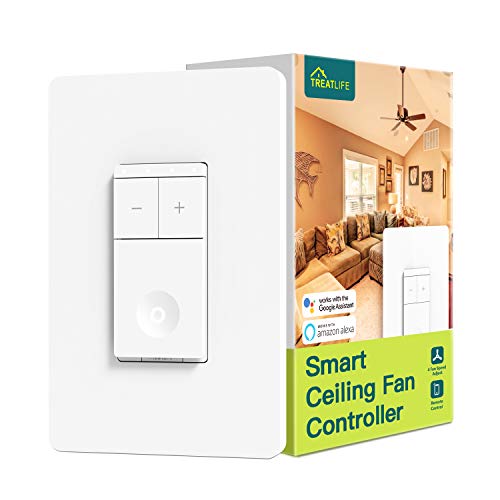
This 4‑speed, 2.4 GHz Wi‑Fi switch is designed for single-pole ceiling fan control with no hub required. It requires a neutral wire and does not support lighting control. It works with Alexa and Google Home, and includes simple mounting hardware. It is best when you want straightforward fan speed control without integrated light dimming.
Best for: Users who want a dedicated fan speed controller with a neutral wire and no hub in a single-pole setup. Limit: No dimming for lights; not compatible with 3‑way circuits or remote fans.
Eaton EWFFSC15-C2-BX-L Wi-Fi Smart Fan Speed Control

No hub is required for direct control via the Eaton Smart Home Control App. The device supports voice control through Hey Google and Amazon Alexa. Installation emphasizes straightforward setup, with LED indicators verifying correct wiring. This option suits users who want quick app-based control and reliable voice integration.
Best for: Users seeking simple, hub-free control with clear app support and built‑in indicators. Limit: Limited detail on compatibility with multi-fan setups or lighting controls beyond basic fan speed.
Smart Ceiling Fan Control and Dimmer Light Switch (TreatLife)
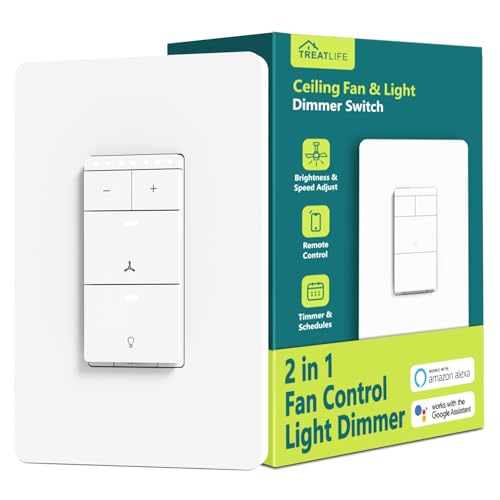
treats 4-speed fan control with dimmable lighting from 10% to 100%. It requires a neutral wire and supports 2.4 GHz Wi‑Fi. The unit is designed for single‑pole use and works with Alexa, Google Home, and SmartThings. It excludes compatibility with 3‑way circuits, smart bulbs, and fans with built‑in remotes.
Best for: Homes needing both fan speed and dimmable lighting in one switch with broad smart home support. Limit: Not compatible with multi-location setups or fans that have built-in remotes.
Leviton Decora Smart Fan Speed Controller

The Leviton Decora Smart Fan Speed Controller is Z-Wave Plus certified, offering reliable integration with compatible hubs for smart home automation. It enables speed adjustments via a hub-controlled app or voice commands, making it suitable for homes already using a Z‑Wave hub and requiring robust security and OTA updates.
Best for: Z‑Wave ecosystem users needing dependable, hub-managed fan control. Limit: Requires a compatible Z‑Wave hub and may involve additional setup for voice control across rooms.
Buying Guide
What should you consider when choosing a WiFi fan speed controller?
- Wiring and neutrals: Some switches require a neutral wire; verify your ceiling box wiring before purchase.
- Network compatibility: Most devices operate on 2.4 GHz Wi‑Fi; ensure your router supports 2.4 GHz bands and does not force 5 GHz-only settings.
- Compatibility with fans: Check whether the controller can handle your fan model and whether it supports remote-controlled or DC motor fans.
- Control ecosystem: Choose a device that works with your preferred voice assistants (Alexa, Google Assistant, Apple HomeKit) or your hub platform (Z‑Wave, SmartThings).
- Lighting support: If you want dimming for lights, pick a model that explicitly includes dimming for lamps and ensure compatible bulb types.
- Installation scope: Decide between single-pole control (one circuit) and multi-pole setups if you have complex wiring or multiple fans.
Frequently Asked Questions
- Do WiFi fan controllers require a hub? Some do, some don’t. Hub-free models connect directly to your Wi‑Fi network, while others require a dedicated hub or Z‑Wave controller.
- Can I use these with any ceiling fan? Most are designed for common brands and standard wiring. Always verify compatibility with your fan’s motor type and remote capability.
- Will these controls also dim the lights? Some models support light dimming in addition to fan speed; others focus solely on the fan. Check product features before purchase.
- What network speed is needed for reliable control? A stable 2.4 GHz Wi‑Fi connection is typically sufficient; avoid relying on unstable 5 GHz configurations for direct device control.
- Is neutral wire required for all options? Not all models need a neutral wire, but many do. Confirm your wall box wiring before buying if a neutral connection is unavailable.
- Can I install these myself? Installation is feasible for many, but if you are unsure about wiring or safety, hire a licensed electrician.