As an Amazon Associate, this site earns from qualifying purchases through the product links below. These are comparisons of documented features, not claimed hands-on tests.
Choose a plug-in energy monitor by the question you want to answer and the appliance you are allowed to connect. For this shortlist, the P3 P4400 suits manual kWh-and-time notes, while the P4460 adds on-device cost forecasting and retained information for a different recording routine.
Both are a narrow choice for compatible plug-in loads, not a way to meter every circuit in your home. This comparison uses manufacturer documentation and exact Amazon listing inspections; it does not claim hands-on accuracy testing or a measured reduction in anyone's bills.
Check the load before the display features
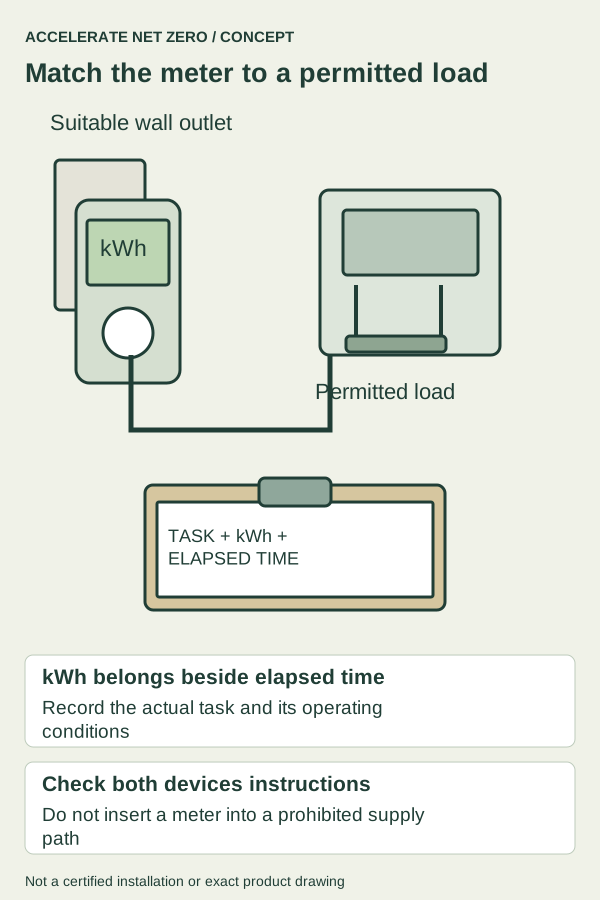
Read both the appliance and monitor instructions before inserting anything into the supply path. A suitable voltage, current rating, and connection type are necessary, but you also need the appliance's permission for the arrangement and a sound, accessible outlet.
Do not use these meters for hardwired HVAC equipment, an electrical panel, or a different-voltage appliance. If the task needs electrical work or a measurement outside the meter's intended use, ask a qualified electrician about the appropriate approach.
Space heaters deserve particular care because CPSC directs electric heaters to a wall outlet, without an extension or power strip. Do not treat a plug-in monitor or smart accessory as an automatic exception to a heater's direct-connection instructions.
Also check the physical fit: the monitor's body, appliance plug, neighboring receptacle, and surrounding furniture all need a safe arrangement. A display you can only read by pulling a heavy refrigerator away from the wall may not suit the way you intend to keep records.

P3 P4400: a straightforward manual record

The P4400 is a sensible candidate when you want to write down cumulative energy and elapsed time and do the interpretation yourself. Its manual identifies kWh accumulation and powered duration, with a button that switches between those views.
That makes the workflow clear: begin a permitted observation period, record the energy and time together, and note what the appliance did during that period. You do not need an app account or an assumed cloud export feature to keep a useful manual record.
The important limitation is that the manual describes resetting by briefly removing power. Record the result before disconnecting, and do not assume the instrument preserves a completed observation if someone unplugs it while cleaning or moves it to another appliance.
Choose this model if you are comfortable keeping a notebook and making a rate calculation with your own stated assumptions. Skip it if you specifically need a retained multi-session history, automated export, remote alerts, or a display arrangement that this exact product does not document.
The inspected Amazon listing contains broad cost-calculation language, while the P4400 manual describes the meter readings and accumulation functions. This guide follows the exact model manual for its workflow rather than borrowing P4460 cost-programming features for the original P4400.
P3 P4460 Kill A Watt EZ: cost context on the meter

The P4460 adds manufacturer-documented operating-cost forecasts and backup of accumulated information. It is the more relevant candidate if you want the device to keep cost context visible instead of doing every conversion in a separate note.
P3 lists a 115 VAC operating supply and a maximum current of 15 A for this model. Those are product limits, not blanket permission to connect any appliance drawing less than that number, so check the exact load instructions and the full meter label before use.
The cost forecast is only as useful as its rate input and observation assumptions. A flat-rate estimate does not reproduce a bill with fixed charges, time-of-use periods, tiered rates, or other adjustments merely because the display shows dollars.
Choose the EZ if that built-in cost view and retained information fit your routine, with the relevant instructions understood. Do not pay for it expecting a whole-home monitor, a remotely readable logger, or a diagnosis of why an appliance used the recorded energy.
You still need a note of the appliance, dates, operating conditions, and any interruption. Memory in the instrument does not tell you whether the refrigerator door stood open during a party or whether a dehumidifier operated under different room conditions on two days.
Compare the work you want the number to do
| Need | P4400 | P4460 EZ |
|---|---|---|
| Recording approach | Manual kWh + elapsed time | On-device cost context + retained information |
| Useful fit | You keep an observation notebook | You want cost forecasts under stated rate assumptions |
| Neither fits | Prohibited supply path, different voltage, hardwired loads | Whole-home circuits or required remote export |
The core difference is the recording routine rather than a measured winner for accuracy. The P4400 keeps the interpretation more manual, while the P4460 puts more cost context in the instrument and documents backup of information.
For a compatible appliance used in a short task, a completed-cycle record may be more useful than an annual projection. Write down the cycle, load, settings, start and end, and any interruption so the energy figure remains attached to the job performed.
For a cycling appliance, a momentary watt reading can miss changes over time. Use a permitted observation long enough to represent the question you are asking, without claiming that one quiet hour automatically describes a typical day or year.
If the display's resolution is coarse relative to the energy used in a very short event, do not manufacture extra decimal places in your notes. A longer appropriate observation or a different instrument may be needed for the precision your question requires.
Make an appliance comparison fair
Imagine you compare two ordinary coffee-making routines with an appliance and monitor arrangement permitted by their instructions. Keep the serving quantity, starting conditions, warm-hold time, and completed task visible rather than comparing two unlabeled numbers from different routines.
If one session includes a long warming period and another ends immediately after brewing, the difference describes those sessions. It does not isolate a hidden efficiency defect in the appliance or prove that a replacement will save the same amount every morning.
For a refrigerator, room conditions, door use, contents, and cycling matter to interpretation. A plug-in record can provide useful evidence of energy used during the observed period without predicting exactly what the next season's bill will contain.
Keep all example calculations labeled as examples. Multiplying a measured period into a year assumes that period represents the future, which may be a poor assumption for seasonal equipment or a household whose routine changes.
When neither monitor fits
Choose neither if the appliance requires a direct connection that excludes the meter, the electrical ratings or connector differ, the outlet arrangement is unsuitable, or you cannot use the setup safely. A large numerical rating on the monitor does not erase those limits.
Also choose another approach if you need whole-home circuits, interval exports, remote readings, or reliable measurement below the documented capability of these models. Define that requirement before shopping instead of hoping a simple local display has an unlisted feature.
If an appliance overheats, trips protection, leaks, or has damaged wiring, arrange the appropriate service rather than using an energy monitor to decide whether the condition is safe. Energy consumption is not a comprehensive safety test.
For a utility-bill concern, start with billing days, kWh, rates, and major household changes. A narrow appliance measurement can answer a follow-up question, but it should not replace understanding the scope of the bill you are trying to explain.
Choose a repeatable recording habit
Before buying, write down the appliance, allowed connection, observation period, information you need, and how you will save the result. That short plan makes the choice between a manual P4400 record and the P4460's extra cost functions much clearer.
Confirm the exact model, package, seller, and current instructions at purchase, using the matching image and link above. Both recommendations remain conditional on suitability for your load and task, with no claim that ownership alone produces energy savings.
Sources & further reading
- P3: P4400 Operation Manual — kWh and elapsed-time accumulation, display and reset by interruption of power.
- P3: P4460 Kill A Watt EZ — Cost forecasts, backup of information and stated electrical ratings.
- EIA: Measuring Electricity — Reference for the units used in this guide.
- CPSC: Portable Heater Precautions — Three-foot combustible clearance, direct wall outlet, unattended and sleeping cautions.
- P3 P4400 Kill A Watt, original single unit — Exact selected model/package and directly hosted primary image inspected in Chrome on October24,2026.
- P3 P4460 Kill A Watt EZ, grey single unit — Exact selected model/package and directly hosted primary image inspected in Chrome on October24,2026.
Sources checked October 24, 2026. Product details can change; confirm the exact model and listing before purchase.