A useful home comfort log connects what you feel with where, when, and under what conditions you feel it. Keep the record short enough to continue for a week, and use the same locations and instruments so that changes mean something.
You are not running a certified equipment test or calculating your home's heating load. You are making it easier to distinguish an afternoon room problem from an overnight moisture problem and to explain the difference if you need professional help.
Give the week one main question
Write a specific question at the top of the log, such as “Why does the back bedroom feel warm after lunch?” or “When does the living room feel sticky?” A focused question keeps you from collecting every number in the house without knowing what you want to learn.
Choose one affected location and, if useful, one comparison location that you can revisit consistently. Describe the sensor positions in plain language, because “upstairs” is not enough to distinguish a sunny windowsill from an open shelf on an interior wall.
Record the instruments and their stated tolerances before you begin. If two devices are being compared, give them recognizable names rather than swapping them between rooms and assuming every display has the same response and accuracy.
Decide who will make the observations and where the notes will live. A paper sheet near your usual routine or a simple shared note can work better than a complex app that nobody remembers to open when the room actually feels uncomfortable.
Choose two or three useful moments
Use observation times connected to the question instead of choosing intervals simply because they look scientific. Morning and bedtime may suit an overnight bedroom concern, while before lunch and late afternoon may reveal more about a room that heats up in sunshine.
If the concern occurs during an activity, add a brief event entry when it happens. You might note the end of a shower, a long cooking session, visitors, an open patio door, or an appliance cycle without trying to watch the house continuously.
Do not wake the household or make inconvenient late-night checks just to fill every row. Mark a missing reading as missing, because inventing a number or substituting another room's reading would make the record less trustworthy.
A sensor with logging can reduce manual work, but first check its clock, sampling interval, storage, and battery condition. Automated data still needs context, especially when a graph cannot tell you that someone moved the sensor to dust the shelf.

Record the numbers and the experience separately
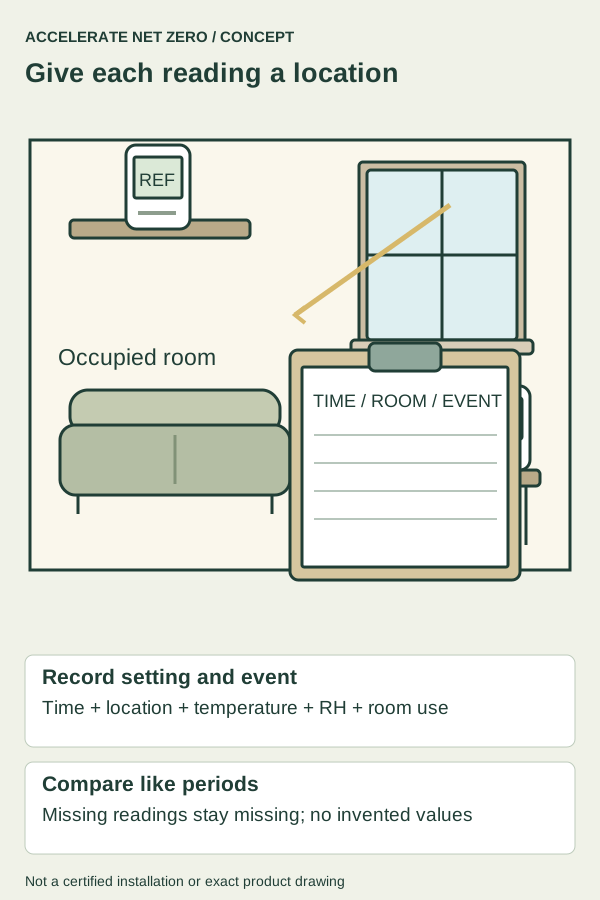
Keep columns for time, location, room temperature, relative humidity, thermostat setting, and a short comfort note. The displayed measurement and your experience are related, but neither should silently replace the other in the record.
For a comfort note, use ordinary descriptions such as “warm at desk,” “draft at sofa,” or “sticky while sleeping.” A simple consistent vocabulary is easier to compare than a new paragraph of impressions at every observation.
Record whether heating, cooling, or the circulation fan appeared to be operating, while leaving uncertain states labeled uncertain. Hearing a fan does not establish that a compressor is running, and a thermostat symbol does not prove that every component operated correctly.
Add outdoor weather from an identified source if it helps your question, and keep the observation time attached. You do not need precise local weather measurements to note that a sunny, windy afternoon differs from a cloudy morning, but avoid presenting an app's remote station as your own yard sensor.
Leave room for the events that explain a pattern
Write down relevant room use: people working, a computer running, curtains closed, a door shut, cooking, bathing, or laundry drying indoors. Do not assume that any single event caused the change just because it happened first.
Keep unusual events visible rather than hiding them in the weekly average. If six ordinary nights and one crowded overnight visit produce different conditions, both are useful, but they answer different questions about the home.
Note any intervention at the time you make it, including a thermostat adjustment, new filter, moved furniture, or a changed fan setting. If several things change together, mark that limitation instead of claiming the log has isolated the effect of one action.
Also record visible building clues that do not fit neatly into a meter column. Window droplets, an active leak, a damp patch, a newly obstructed register, or a musty smell can matter even when the nearby room reading appears unremarkable.
Make one example row useful
An entry might read “Tuesday, 4:30 p.m., back bedroom shelf, 77°F, 48% RH, thermostat 74°F, warm at desk; afternoon sun, door closed, computer in use.” Those details create several sensible follow-up questions without pretending to diagnose the room from one line.
You could compare that entry with a cloudy afternoon when the room is used in the same way. If the room differs, sunshine becomes a relevant clue, but you still need to acknowledge differences in outdoor temperature, system operation, and other conditions.
Another row might say “Thursday, 7 a.m., lower window corners wet; room sensor unchanged, humidifier ran overnight.” This records both the surface observation and the device use without assuming that the room sensor measured the cold glass or established the sole cause.
Keep sensitive household information out of a record you intend to share. You can write “occupied evening” rather than names and detailed schedules, and remove account numbers from any utility documents you attach to a service request.
Review the week by pattern rather than average alone
At the end of the week, group entries by the time and location connected to your original question. Averages can hide an uncomfortable evening period, so look for repeated events and differences that remain meaningful given the instruments' tolerances.
Separate patterns from guesses in a short note. “Back bedroom was warmer on three sunny afternoons” is an observation, while “the supply duct is undersized” is a diagnosis your room log cannot establish.
Check whether missing data or a changed sensor location weakens a comparison. It is fine to conclude that the week did not answer the question and repeat a smaller, better-focused observation period rather than stretching ambiguous data into a verdict.
EPA's air-quality guidance describes several household sources and conditions that can change over a day. Use your event notes to keep those changes visible, while recognizing that a temperature and humidity log does not measure pollutants or establish that indoor air is safe.
Decide what the record makes possible
If the week reveals an accessible obstruction, such as furniture covering a register, correct it in line with the equipment instructions and observe again. Do not proceed from a simple room log into duct modification, refrigerant work, electrical repair, or blocking required ventilation.
If the concern persists, share the focused question, sensor locations, a handful of representative rows, and relevant photographs with an HVAC or building professional. Ask what additional measurements would distinguish the likely explanations instead of requesting a predetermined replacement part.
Act promptly on active leaks, suspected gas or carbon monoxide issues, overheating, or electrical hazards rather than completing the week first. A comfort log is a planning tool for ordinary observations, not a reason to delay the response to an unsafe condition.
Once the next step is taken, keep the same basic record briefly under comparable conditions. That gives you a fairer view of the result than remembering the worst day before a change and comparing it with the most pleasant day afterward.
Sources & further reading
- EPA: Guide to Air Cleaners in the Home — Filtration complements source control; fan runtime involves electricity and cooling-season humidity tradeoffs.
Sources checked October 24, 2026. Product details can change; confirm the exact model and listing before purchase.